
Multinode Deployment
Overview
Section titled “Overview”Running multiple DeepIntShield nodes provides high availability, load distribution, and fault tolerance for your AI gateway. This guide covers the recommended approach for deploying multiple DeepIntShield nodes in OSS deployments.
OSS vs Enterprise
Section titled “OSS vs Enterprise”| Aspect | OSS Approach | Enterprise Approach |
|---|---|---|
| Configuration Source | Shared config.json file | Database with P2P sync |
| Sync Mechanism | File sharing (ConfigMap, volumes) | Gossip protocol (real-time) |
| Config Updates | Modify file + restart nodes | UI/API with automatic propagation |
How It Works
Section titled “How It Works”All configuration in DeepIntShield is loaded into memory at startup. For OSS multinode deployments, the recommended approach is to use config.json without config_store enabled.
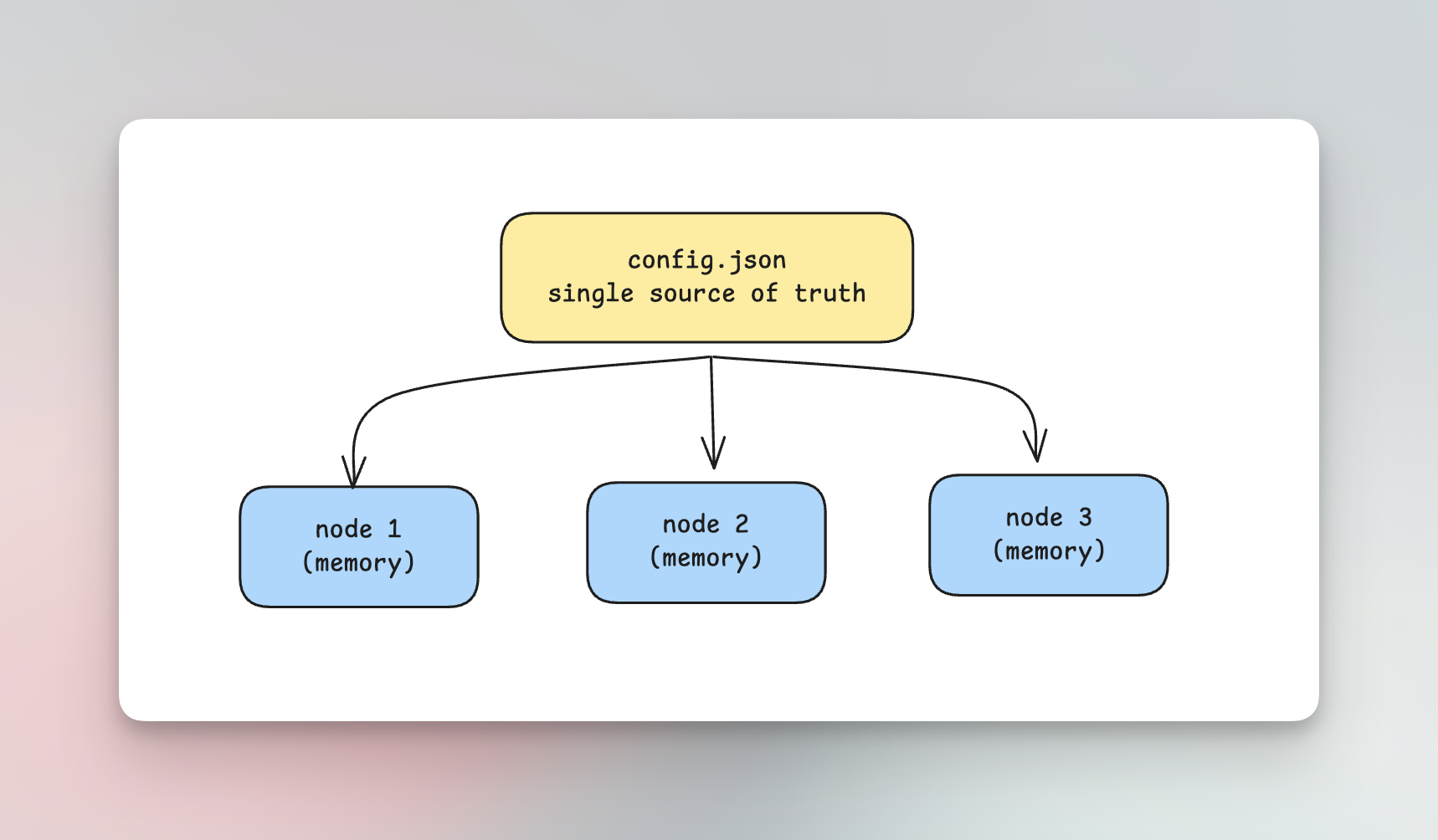
config.json as Single Source of Truth
Section titled “config.json as Single Source of Truth”When you deploy without config_store:
- No database involved -
config.jsonis the only configuration source - Shared file - All nodes read from the same
config.jsonfile - Identical configuration - Since the source is shared, all nodes automatically have the same configuration
- No sync needed - The shared file itself ensures consistency
Why not to use config_store for Multinode OSS?
Section titled “Why not to use config_store for Multinode OSS?”Using config_store (database-backed configuration) with multiple nodes in OSS creates a synchronization problem:
- Config changes are local - When you update configuration via the UI or API, it updates the database and the in-memory config on that specific node only
- No propagation mechanism - Other nodes don’t know about the change; they keep their existing in-memory configuration
- Nodes become out of sync - Different nodes end up with different configurations
- Restart required - You’d have to restart all nodes after every config change to bring them back in sync
This defeats the purpose of having database-backed configuration with real-time updates.
Enterprise Solution
Section titled “Enterprise Solution”DeepIntShield Enterprise includes P2P clustering with gossip protocol that automatically syncs configuration changes across all nodes in real-time. See the Clustering documentation for details.
Setting Up Multinode OSS Deployment
Section titled “Setting Up Multinode OSS Deployment”Example config.json
Section titled “Example config.json”Create a config.json without config_store or logs_store:
{ "$schema": "https://www.getbifrost.ai/schema", "client": { "drop_excess_requests": false, "enable_logging": false }, "config_store": { "enabled": false }, "logs_store": { "enabled": true, "type": "postgres", "config": {...} }, "providers": { "openai": { "keys": [ { "name": "openai-primary", "value": "env.OPENAI_API_KEY", "models": ["gpt-4o", "gpt-4o-mini"], "weight": 1.0 } ] }, "anthropic": { "keys": [ { "name": "anthropic-primary", "value": "env.ANTHROPIC_API_KEY", "models": ["claude-sonnet-4-20250514", "claude-3-5-haiku-20241022"], "weight": 1.0 } ] } }}Kubernetes Deployment
Section titled “Kubernetes Deployment”Use a ConfigMap to share the same configuration across all pods:
apiVersion: v1kind: ConfigMapmetadata: name: deepintshield-config namespace: defaultdata: config.json: | { "$schema": "https://www.getbifrost.ai/schema", "client": { "drop_excess_requests": false, "enable_logging": false }, "config_store": { "enabled": false }, "logs_store": { "enabled": true, "type": "postgres", "config": {...} }, "providers": { "openai": { "keys": [ { "name": "openai-primary", "value": "env.OPENAI_API_KEY", "models": ["gpt-4o", "gpt-4o-mini"], "weight": 1.0 } ] } } }---apiVersion: apps/v1kind: Deploymentmetadata: name: deepintshield namespace: defaultspec: replicas: 3 selector: matchLabels: app: deepintshield template: metadata: labels: app: deepintshield spec: containers: - name: deepintshield image: maximhq/deepintshield:latest ports: - containerPort: 8080 name: http env: - name: OPENAI_API_KEY valueFrom: secretKeyRef: name: provider-secrets key: openai-api-key volumeMounts: - name: config mountPath: /app readOnly: true resources: requests: cpu: 250m memory: 256Mi limits: cpu: 1000m memory: 1Gi livenessProbe: httpGet: path: /health port: 8080 initialDelaySeconds: 10 periodSeconds: 10 readinessProbe: httpGet: path: /health port: 8080 initialDelaySeconds: 5 periodSeconds: 5 volumes: - name: config configMap: name: deepintshield-config---apiVersion: v1kind: Servicemetadata: name: deepintshield namespace: defaultspec: type: LoadBalancer selector: app: deepintshield ports: - port: 80 targetPort: 8080 protocol: TCP name: httpDocker Compose
Section titled “Docker Compose”Share the configuration using a bind mount:
version: '3.8'
services:  nginx:    image: nginx:alpine    ports:      - "80:80"    volumes:      - ./nginx.conf:/etc/nginx/nginx.conf:ro    depends_on:      - deepintshield-1      - deepintshield-2      - deepintshield-3
  deepintshield-1:    image: maximhq/deepintshield:latest    environment:      - OPENAI_API_KEY=${OPENAI_API_KEY}      - ANTHROPIC_API_KEY=${ANTHROPIC_API_KEY}    volumes:      - ./config.json:/app/config.json:ro    expose:      - "8080"
  deepintshield-2:    image: maximhq/deepintshield:latest    environment:      - OPENAI_API_KEY=${OPENAI_API_KEY}      - ANTHROPIC_API_KEY=${ANTHROPIC_API_KEY}    volumes:      - ./config.json:/app/config.json:ro    expose:      - "8080"
  deepintshield-3:    image: maximhq/deepintshield:latest    environment:      - OPENAI_API_KEY=${OPENAI_API_KEY}      - ANTHROPIC_API_KEY=${ANTHROPIC_API_KEY}    volumes:      - ./config.json:/app/config.json:ro    expose:      - "8080"
nginx.conf for load balancing:
events {    worker_connections 1024;}
http {    upstream deepintshield {        least_conn;        server deepintshield-1:8080;        server deepintshield-2:8080;        server deepintshield-3:8080;    }
    server {        listen 80;
        location / {            proxy_pass http://deepintshield;            proxy_set_header Host $host;            proxy_set_header X-Real-IP $remote_addr;            proxy_set_header X-Forwarded-For $proxy_add_x_forwarded_for;            proxy_connect_timeout 60s;            proxy_send_timeout 60s;            proxy_read_timeout 60s;        }
        location /health {            access_log off;            return 200 "healthy\n";        }    }}
Bare Metal / VM Deployment
Section titled “Bare Metal / VM Deployment”For bare metal or VM deployments, distribute the configuration file using:
- NFS mount - Mount a shared NFS directory containing
config.json - rsync - Sync the config file from a central location to all nodes
- Configuration management - Use Ansible, Chef, or Puppet to deploy identical configs
Example with rsync:
# On config server - push to all nodesfor node in node1 node2 node3; do  rsync -avz /etc/deepintshield/config.json $node:/etc/deepintshield/config.jsondone
# Restart nodes after config updatefor node in node1 node2 node3; do  ssh $node "systemctl restart deepintshield"done
Updating Configuration
Section titled “Updating Configuration”To update configuration in a multinode OSS deployment:
-
Modify the shared
config.jsonfile- Update the ConfigMap (Kubernetes)
- Edit the shared file (Docker Compose / bare metal)
-
Restart the nodes
- Rolling restart is supported - nodes can be restarted one at a time
- Each node picks up the new configuration on startup
Kubernetes Rolling Restart
Section titled “Kubernetes Rolling Restart”# Update ConfigMapkubectl apply -f configmap.yaml
# Trigger rolling restartkubectl rollout restart deployment/deepintshield
# Watch the rolloutkubectl rollout status deployment/deepintshieldDocker Compose Restart
Section titled “Docker Compose Restart”# After updating config.jsondocker-compose restart deepintshield-1docker-compose restart deepintshield-2docker-compose restart deepintshield-3Best Practices
Section titled “Best Practices”Use Environment Variables for Secrets
Section titled “Use Environment Variables for Secrets”Never put API keys directly in config.json. Use the env. prefix to reference environment variables:
{ "providers": { "openai": { "keys": [ { "value": "env.OPENAI_API_KEY" } ] } }}Then provide the actual keys via environment variables or Kubernetes secrets.
Load Balancer Configuration
Section titled “Load Balancer Configuration”Always put a load balancer in front of your DeepIntShield nodes:
- Kubernetes: Use a Service with
type: LoadBalanceror an Ingress - Docker/VMs: Use nginx, HAProxy, or a cloud load balancer
Health Checks
Section titled “Health Checks”Configure health checks to ensure traffic only goes to healthy nodes:
- Liveness endpoint:
GET /health - Readiness endpoint:
GET /health
Resource Allocation
Section titled “Resource Allocation”For production deployments:
resources: requests: cpu: 500m memory: 512Mi limits: cpu: 2000m memory: 2GiSummary
Section titled “Summary”| Scenario | Recommendation |
|---|---|
| Single node | Use config_store for UI access |
| Multinode OSS | Use shared config.json without config_store |
| Multinode Enterprise | Use P2P clustering with config_store |
For OSS multinode deployments, the shared config.json approach provides a simple, reliable way to keep all nodes in sync without the complexity of database synchronization.